
You send the same website brief to a few developers and receive very different quotes.
Each proposal mentions a responsive website, a contact form and basic SEO. The page counts look similar. So why are the prices different?
Website quotes vary because the visible website is only part of the work. Planning, content, design, integrations, testing and post-launch responsibilities can all change what a project involves.
When comparing website quotes in NZ, the useful question is not simply “Which price is lowest?” It is “What work, responsibility and ongoing cost does each price include?”
Here is how to make that comparison clearer.
Start with what the website needs to achieve
Before comparing prices, define the job your website needs to do.
For a local service business, that might mean helping customers understand the service area and request a quote. For a professional services firm, it could mean explaining specialist services and establishing credibility. An online shop needs a purchasing journey as well as product information.
These are different requirements, even if the websites initially appear similar in size.
Our guide to what a small business website should include covers the essentials: helping visitors understand the business, trust it and take the next step.
Use those outcomes to shape your brief. A clearer brief makes it easier for providers to quote for comparable work.
Page count is only one part of the scope
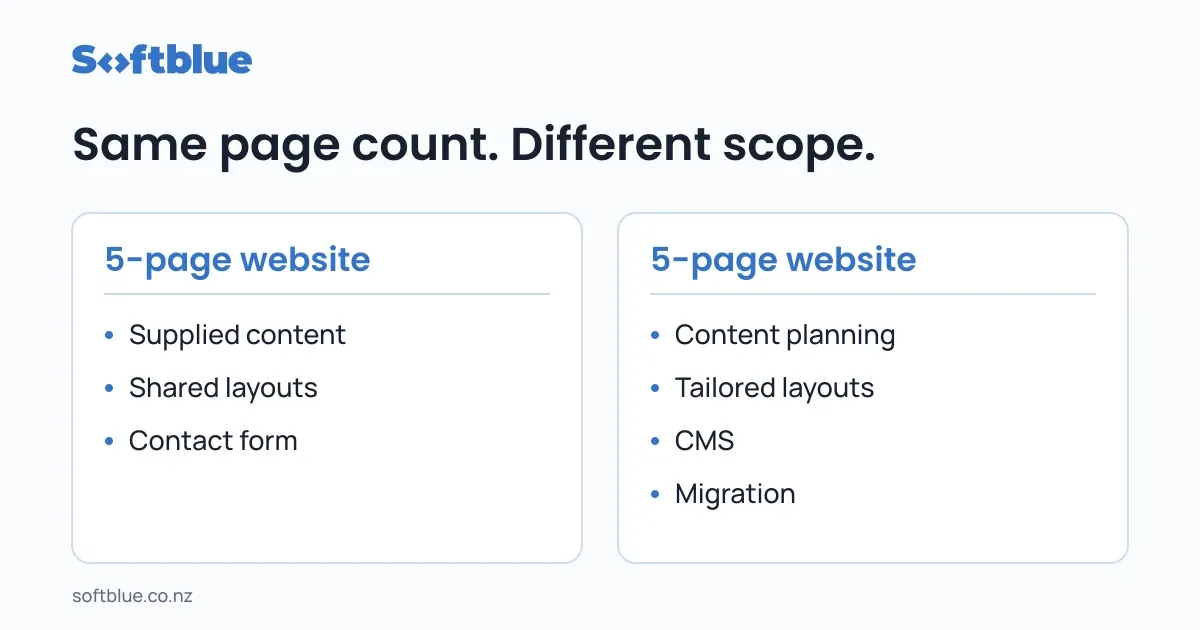
A “five-page website” can describe very different projects.
One might use an existing template, supplied copy and a straightforward contact form. Another might require new page structures, content planning, custom layouts and a CMS the business can update independently.
Both contain five pages. They do not require the same work.
Ask what types of pages are included, not just how many.
For example:
- Will service pages share a layout or need different structures?
- Are project pages populated manually or managed through a CMS?
- Does the contact page contain a basic form or a more involved qualification process?
- Who enters the content?
- Are existing pages and URLs being retained, changed or removed?
A useful quote makes these assumptions visible.
Content preparation changes the workload
“Content supplied by the client” sounds simple, but it needs a shared definition.
It could mean polished, approved copy and correctly sized images. It could also mean old brochures, a folder of photographs and rough notes that still need organising.
The second situation involves additional work before the website can be built properly.
Clarify who is responsible for:
- Writing and editing the copy
- Selecting and preparing images
- Checking service descriptions and business details
- Uploading content into the website
- Approving the final material
If you want to keep the project focused, preparing accurate content is one practical place to start.
That does not mean writing everything without help. It means deciding what support you need and including it in the scope.
Template-based and custom design solve different needs
An existing theme or component system can provide a useful starting point when its structure fits the business.
A more tailored design may be appropriate when the website needs a distinct content structure, specialist customer journeys or interactions that the starting point does not support well.
Neither approach is automatically the right answer.
The important questions are how well the approach fits your requirements and how much adaptation is included.
Ask whether the quote covers:
- Colours and typography only
- Changes to existing layouts
- New page layouts
- Mobile-specific design decisions
- Design review before development
- A defined number of revision rounds
“Custom design” is not a complete scope description. Ask what will actually be designed and reviewed.
Features need more detail than a checkbox
Two quotes might both include a booking feature while describing very different implementations.
One might link to your existing booking service. Another might embed a booking form. A third might involve availability rules, payments, reminders and synchronisation with another system.
The same distinction applies to contact forms, customer accounts and CRM connections.
For each feature, clarify:
- What the customer should be able to do
- What happens after they take that action
- Which systems need to exchange information
- Who manages subscriptions and accounts
- What happens if something fails
This helps separate a simple connection from a larger software requirement.
It can also reveal features that do not need to be included in the first release.
Replacing an existing website adds transition work
A rebuild involves more than creating new pages.
An existing website may have useful content, established URLs, enquiry forms, analytics and services that need to keep working through the change.
Depending on the project, the transition may include:
- Reviewing existing pages and deciding what to retain
- Moving content and files
- Mapping changed URLs and setting up redirects
- Preserving or updating analytics
- Checking domain and hosting access
- Planning launch and recovery steps
A quote that includes this work may look different from one that assumes a clean start.
Before commissioning a replacement, it is also worth confirming that a rebuild is necessary. Our website redesign or rebuild guide explains when a refresh, targeted improvement, redesign or rebuild may be appropriate.
“SEO included” needs an explanation
SEO is a broad label, so ask what the provider means by it.
A website build might include page titles, meta descriptions, a sitemap, redirects and checks that important pages can be crawled. Another proposal might also include search research, service-page content and ongoing optimisation.
Those are different deliverables.
The same applies to phrases such as “performance optimisation” and “analytics setup”.
Ask which pages will be checked, what will be configured and what you will receive at handover. For analytics, clarify whether the scope includes measuring successful enquiries or only installing the tracking code.
Avoid treating a vague label as a detailed promise.
Separate the build price from ongoing costs
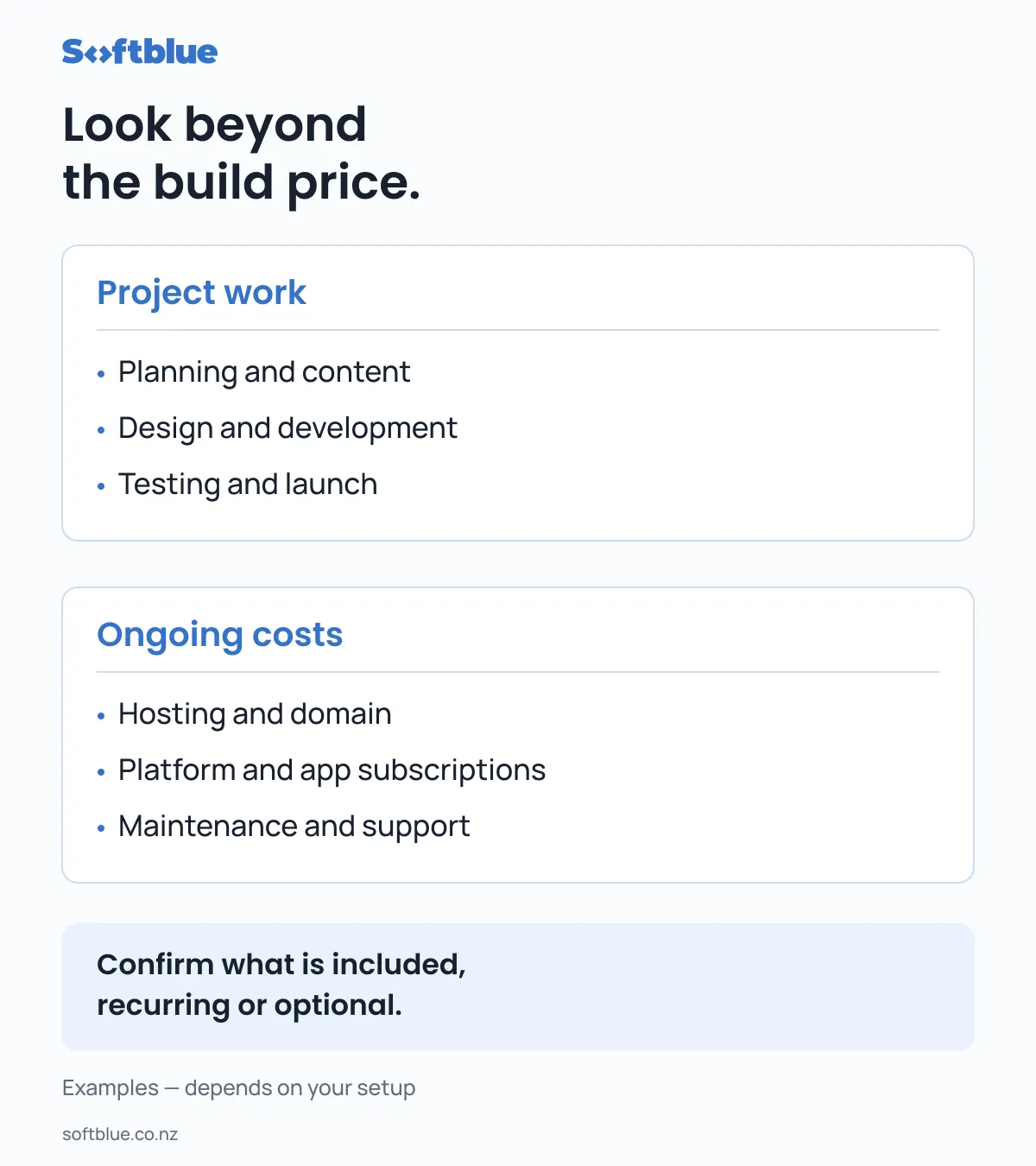
The initial project fee is not the complete operating budget.
Depending on the setup, ongoing costs may include hosting, domain renewal, platform subscriptions, paid apps, maintenance and support.
Ask for a clear distinction between:
- One-off project work
- Required recurring services
- Optional support
- Future changes charged separately
Also confirm who owns the accounts and who pays each supplier.
A website can be affordable to launch but awkward to operate if routine updates require support that was never discussed. Equally, a managed service may be useful if you prefer someone else to handle ongoing technical responsibilities.
The right arrangement depends on your team and how the website will be used.
Compare quotes using the same checklist
Before choosing a provider, compare these details side by side.
| Area | What to clarify |
|---|---|
| Purpose | Which customer or business outcomes does the project support? |
| Pages | Which pages, layouts and content items are included? |
| Content | Who writes, prepares, uploads and approves it? |
| Design | What is adapted, what is created and what gets reviewed? |
| Features | What exactly will each form, booking tool or integration do? |
| Transition | What happens to existing content, URLs and tracking? |
| Testing | Which devices, browsers and customer journeys are checked? |
| Handover | What access, documentation or training will you receive? |
| Support | What is covered after launch, and for how long? |
| Commercial terms | What are the payment stages, exclusions and ongoing charges? |
If something is unclear, ask before accepting the quote. Clarifying an assumption early is easier than discovering a different expectation halfway through the build.
A practical way to control your website budget
Start by separating essential work from later improvements.
For a service business, the first stage might focus on clear service information, relevant proof, a usable mobile experience and a reliable enquiry path.
A resource library, customer portal or advanced integration may be useful later, but it should have a clear purpose before becoming part of the first project.
If your current website has a workable foundation, a focused improvement project may also be worth considering. Softblue’s Website Improvement Sprint is designed around a small, agreed set of changes rather than a complete replacement.
The aim is to choose a useful scope, rather than simply the smallest price or the largest feature list.
Choose a clear scope and a working relationship you understand
A higher quote is not automatically better, and a lower quote is not automatically a problem.
What matters is whether you understand the work being proposed, the assumptions behind it and the responsibilities on each side.
At Softblue, we start with the business need and shape an appropriate level of work around it. That may be targeted improvements, a new business website or a more involved web application.
You can explore our services and view our work to understand our approach.
If you are planning a website and want help defining a practical scope, start a conversation.